
"Who said this?"
With several people talking, sorting out who said what takes time.
Speaker-labeled transcription × meeting minutes
Who spoke.
What was decided.
AI Meeting Minutes on Sovereign GaiXer
GaiXerScribe is a meeting minutes app that runs on Sovereign GaiXer, an on-premises generative AI appliance.
It combines NVIDIA Nemotron 3 Diarization with speech recognition to create speaker-labeled transcripts, then organizes them into eight-section minutes covering meeting details, a summary, decisions, to-dos and more.
You can check the original statements and audio as you go, all the way to to-dos with owners and due dates.
We'll confirm the cutover for the second week of March.
Understood. I'll have the migration procedure ready by next Friday.
Let's keep discussing how to handle the reports until the next meeting.
Cutover: 2nd week of March
Source 00:03:12 Sato ▶Write the migration procedure
Owner: Tanaka · Due: next FridayCHALLENGES
Turning speech into text is not enough to put minutes to work.
With several people talking, sorting out who said what takes time.
Every meeting, someone has to separate decisions from open items and confirm owners and due dates.
Checking and fixing technical terms and names one by one eats up time.
From recording to review to putting the results to work,
GaiXerScribe connects it all.
FEATURES
01
Transcripts carry speaker labels and timestamps, and you can play the original audio from that point. When a statement looks off, go straight back to the audio to check it.
02
Minutes are built on eight standard sections: meeting details, summary, decisions, to-dos, discussion points, Q&A, pending items and next meeting.
03
Organization-wide and personal glossaries guide transcription and correct results after recognition, keeping technical terms and proper nouns consistent.
04
Edit history is saved and earlier versions can be restored. Finalized minutes can be exported as Word, PDF and other documents.
* All screens are illustrations
HOW IT WORKS
NVIDIA Nemotron 3 Diarization, built into the Sovereign GaiXer platform, is integrated via the platform's internal API.
INPUT | Meeting audio
Sovereign GaiXer platform
Speaker-labeled transcript
GaiXerScribe | App
NVIDIA Nemotron 3 Diarization identifies who spoke when, and automatic speech recognition (ASR) turns what was said into text. The platform combines the two and returns a speaker-labeled transcript to the app. Users can organize decisions and to-dos with owners and due dates while checking the original statements and audio.
WORKFLOW
Taking minutes with GaiXerScribe follows these five steps.
Record with the microphone in your browser, or import audio and video files or enter text.
Rename and merge speakers and correct each statement. Glossaries keep terms consistent.
Organize into eight-section minutes. Templates let you set sections and writing instructions.
Go back to the source statements and audio. Review flagged spots and mark the minutes as reviewed.
Export minutes as documents and decisions and to-dos as CSV, and share them within your organization.
FOR DAILY OPERATION
Beyond keeping records, it includes features for ongoing use across your organization.
Edit history is saved, and you can go back to an earlier version.
Minutes that have been reviewed and corrected can be marked as reviewed.
Used to guide transcription and correct results after recognition, keeping terms consistent.
Set how minutes are shared within your organization.
Manage how long audio and minutes are kept.
Keep a record of operations as an audit log.
USE CASES
For internal meetings and project check-ins, organize what was decided into to-dos with owners and due dates, then export to CSV for your task management.
Create records of internal meetings while checking the source statements. Retention management and audit logs support proper record handling.
In hospital meetings, keep technical terms and proper nouns consistent with your organization's glossary. Speaker-labeled records make it clear who said what.
* Example use cases.
POST SOFTWARE ADOPTION
FIXER calls the space of adding software after GPU deployment to expand everyday AI use the "Post Software Adoption market."
By expanding business apps such as GaiXerScribe, we help companies, local governments, hospitals and others turn GPU investment into real business value.
What is the GaiXer App Store?OVERVIEW
| Product | GaiXerScribe |
|---|---|
| Platform | Sovereign GaiXer |
| Languages | Transcription and minutes: Japanese / English User interface: Japanese |
| Input | Microphone recording in the browser / audio and video file import / text input |
| Output | Minutes: Word, PDF, TXT, Markdown Decisions and to-dos: CSV (including owners and due dates) |
| Available from | Wednesday, November 18, 2026 |
| Offering and pricing | Offered as a GaiXer app that can be added to Sovereign GaiXer. Please contact us for pricing. |
| Product information | https://sovereign.gaixer.com/en/ |
* Whether it can be deployed on an existing GPU environment, and the configuration required, will be confirmed individually.
PLATFORM
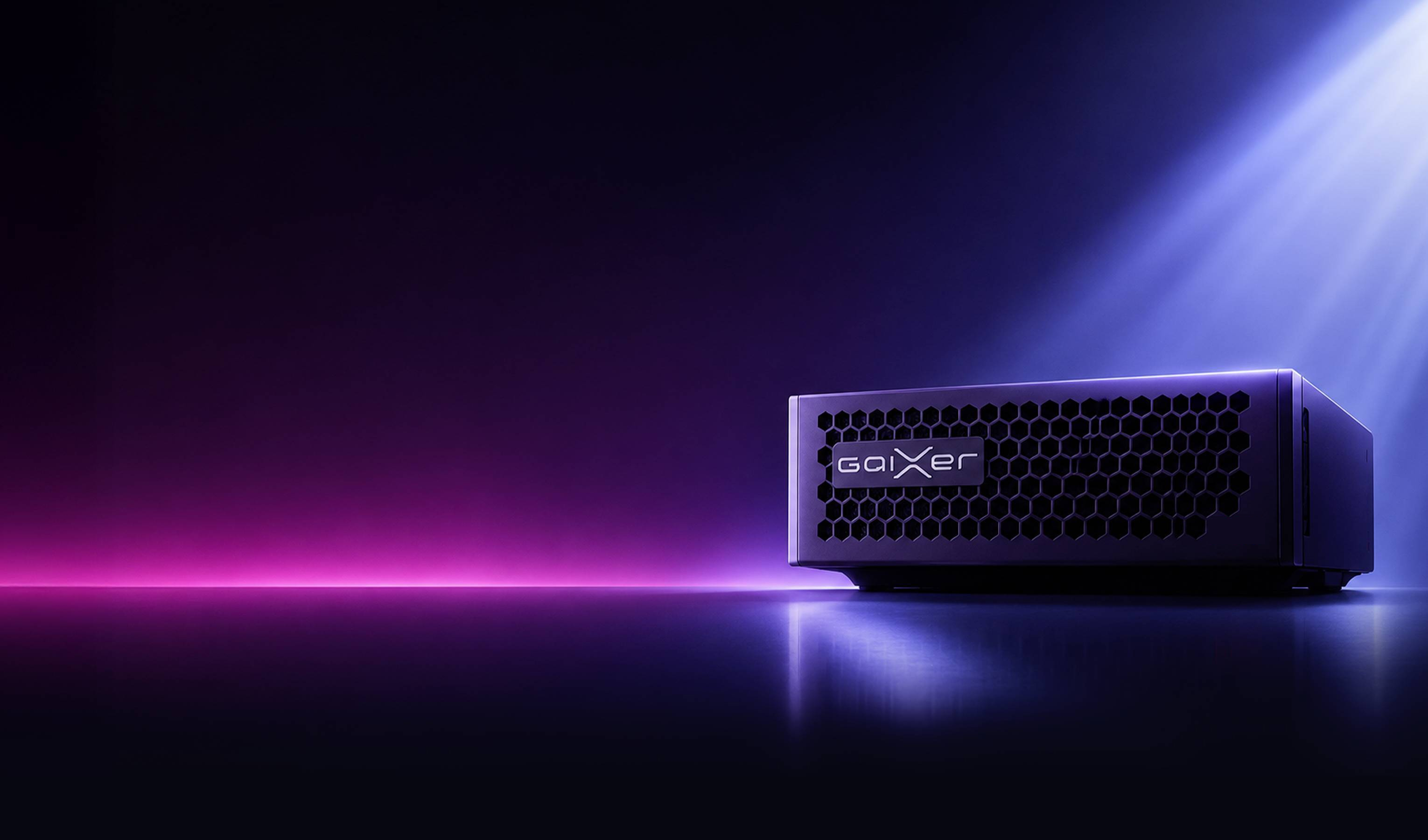
Sovereign GaiXer is an on-premises generative AI appliance. Internal data is not sent to the internet and AI processing is completed inside the appliance, so you can use generative AI even for work involving confidential or personal information.
FAQ
You can record with the microphone in your browser, import audio and video files, or enter text. Audio transcripts include speaker labels and timestamps.
Transcription and minutes are available in Japanese and English. The user interface is in Japanese.
NVIDIA Nemotron 3 Diarization, built into the Sovereign GaiXer platform, is integrated via the platform's internal API. NVIDIA Nemotron 3 Diarization identifies who spoke when, and automatic speech recognition (ASR) turns what was said into text. The platform combines the two and returns a speaker-labeled transcript to the app.
The standard is eight sections: meeting details, summary, decisions, to-dos, discussion points, Q&A, pending items and next meeting. Templates let you set sections and writing instructions to fit your purpose.
Minutes can be exported to Word, PDF, TXT and Markdown. Decisions and to-dos can be exported as CSV, including owners and due dates.
GaiXerScribe is an app that runs on Sovereign GaiXer. Whether it can be deployed on an existing GPU environment, and the configuration required, will be confirmed individually. Please feel free to contact us.
Results of AI transcription, speaker diarization and minutes generation vary depending on the audio, the usage environment and other conditions. GaiXerScribe helps you verify them by referencing source statements and checking numbers, dates and more. Please review the content before using it for business.
Feel free to contact us about adopting GaiXerScribe or using it with your existing GPU environment.